
You've built your allowlist. Hundreds of domains, carefully selected. Premium publishers, brand-safe inventory, solid performance history.
But here's the question nobody asks until it's too late: Are those domains actually selling inventory the way you think they are?
An allowlist is only as good as the supply paths behind it. If your trusted domains are being resold through unauthorized intermediaries, you're paying more, seeing less transparency, and taking on risk you didn't sign up for.
This guide walks through how to audit your allowlist before you activate.
Why Allowlist Audits Matter
An allowlist tells your DSP which domains you're willing to buy. But it doesn't tell you:
- Whether the SSP you're buying through has a direct relationship with that publisher
- How many intermediaries sit between your bid and the auction
- Whether the seller is actually authorized to sell that inventory
- If the domain has changed ownership, gone dark, or stopped maintaining their seller authorizations
Publishers update their authorized sellers constantly. SSPs get added and removed. Reseller relationships shift. That allowlist you built six months ago? It's already out of date.
Auditing before activation catches problems when you can still fix them — not after your budget has been spent.
Step-by-Step Allowlist Audit
Step 1: Export Your Allowlist
Pull your current allowlist from your DSP or campaign management system. You need a clean list of domains — one per line, no duplicates.
If you're working across multiple campaigns, consolidate into a master list first. You'll want a single source of truth.
Step 2: Check Publisher Authorization for Each Domain
For every domain on your list, determine which sellers are authorized to sell that publisher's inventory.
You're looking for:
- Does authorization data exist? If not, the publisher hasn't declared their authorized sellers — red flag
- Which sellers are authorized? Note the SSPs, seller IDs, and whether they're direct or reseller relationships
Step 3: Identify Your SSP Paths
Check which SSPs your DSP routes through for each domain. Then cross-reference against the publisher's authorized sellers.
Ask:
- Is your SSP authorized as a direct seller for this domain?
- If not, are they authorized as a reseller?
- If they're not authorized at all, you're buying unauthorized inventory
Step 4: Verify Seller Identity
For each seller you're buying through, confirm:
- The seller is a verified entity
- The entity matches expectations (is it actually the publisher or a known intermediary?)
- The seller type is direct (publisher) or intermediary (reseller)
If a seller can't be verified, proceed with caution.
Step 5: Flag and Categorize Issues
As you audit, bucket domains into categories:
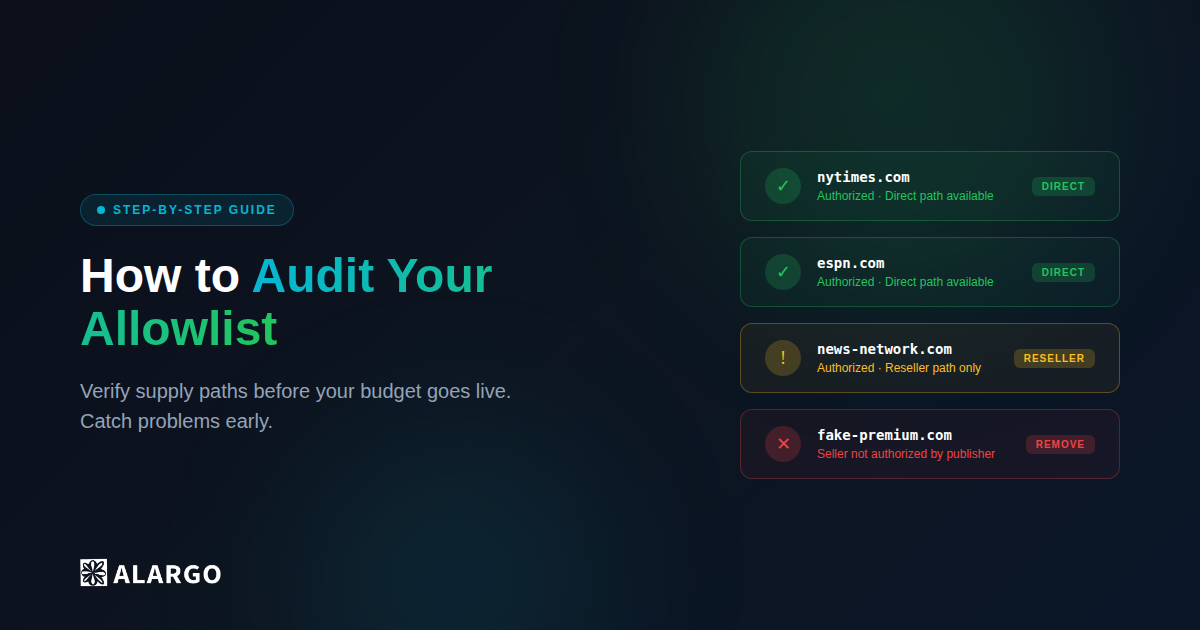
Clean — Direct Your SSP is authorized direct, seller verified. Action: Keep.
Clean — Reseller Your SSP is authorized as reseller, seller verified. Action: Review if direct path exists.
Missing Authorization Domain has no declared authorized sellers. Action: Flag for review or remove.
Unauthorized Your SSP/seller not authorized by publisher. Action: Remove.
Unverified Seller Seller identity can't be confirmed. Action: Flag for review.
Step 6: Optimize for Direct Paths
For domains where you're buying through a reseller but direct paths exist, adjust your setup:
- Switch to an SSP with a direct relationship
- Use deal IDs that guarantee direct access
- Exclude reseller paths in your DSP settings if possible
The goal: maximize direct paths, minimize hops, verify everything.
Step 7: Document and Schedule Regular Audits
Record your findings. Track which domains are clean, which need attention, and which you've removed.
Then schedule this again. Monthly at minimum. Quarterly is too slow — publisher authorizations change constantly.
What This Looks Like at Scale
That process works for 10 domains. Maybe 50 if you're patient.
But real allowlists have hundreds or thousands of entries. Each domain has multiple authorized sellers to check. Cross-referencing seller verification adds another layer.
Doing this manually for a single campaign would take days. Doing it continuously across all campaigns? Impossible without tooling.
Most teams don't do it. They build the allowlist once, maybe spot-check a few big publishers, and hope for the best.
That's how fee leakage and unauthorized inventory slip through.
How Alargo Makes This Instant
Alargo automates the entire audit:
- Upload your allowlist — CSV, paste, or connect directly to your DSP
- We analyze every domain — Seller authorization, path efficiency, verification status
- You see the results — Direct vs reseller paths, authorized vs unauthorized sellers, flagged issues
- Export clean lists — Download optimized allowlists ready for activation
What takes days manually takes minutes with Alargo.
You get full transparency into your supply paths before a single dollar goes live. No spreadsheets. No guessing. Just verified inventory.
Ready to audit your allowlist? Start free at alargo.ai